The AI-friendly HTML file
Connect an HTML file to a program, read its content as JSON, and ask your agent to edit it from within the page.
My agents were creating about 5 files a minute in my projects folder. Spotlight couldn't keep up. Its indexing was burdening my whole system.
I couldn't even use Spotlight to search, it was too slow.
So I turned off Spotlight and built my own search app, with ripgrep searching file contents and fd finding filenames. The problem was it didn't have a good UI.
So I built a UI in... an HTML file :)
Now I can type into a search box and the matching files appear instantly. It's soooo much better than Spotlight.
I've been coding so much with AI lately that I want HTML files to work better with agents. I built three features so you can work better with AI agents locally too:
01 Connect a page to a program on your computer
The search app is one HTML file that talks to a program on my computer through HTML Clay.
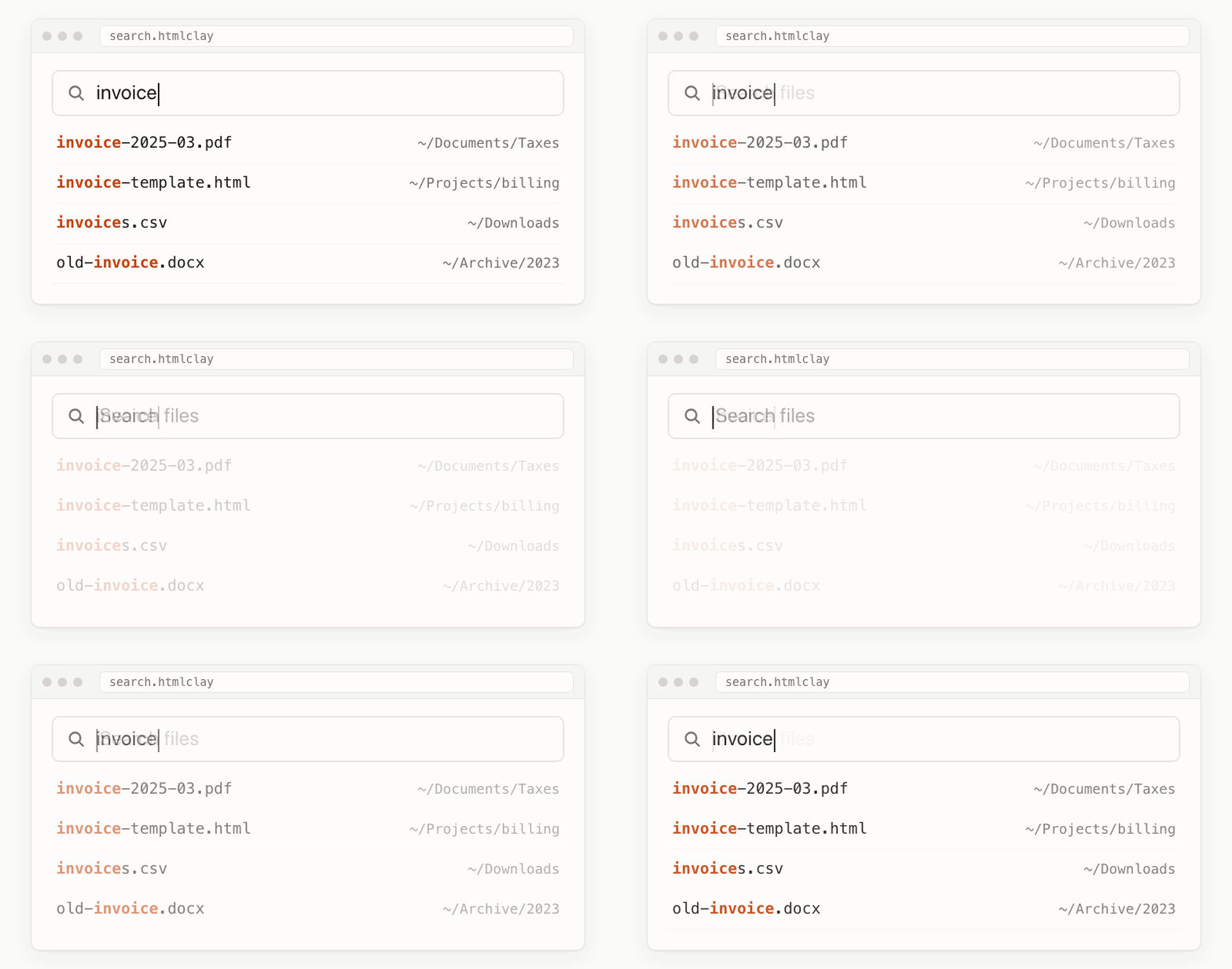
The page lives in search.htmlclay. It sends my query and chosen folder through HTML Clay to a program called clay-search, which returns the results as JSON.
One tag in the page names the program it wants to use:
<meta name="htmlclay-helper" content="search">
The tag says search, but I get to choose which program on my system answers to that name.
HTML Clay asks permission before a page can use a program on your computer. An approved program runs as you and can read or change any file your account can access, so only allow programs you trust.
Get the search app to try it on macOS or Linux. The programs guide covers permissions and connecting a page to your own script.
02 Get structured data from HTML files
As a person, I want a page that looks nice and is easy to read. My computer just wants the data.
When it's easy to extract JSON from an HTML page, you get both.
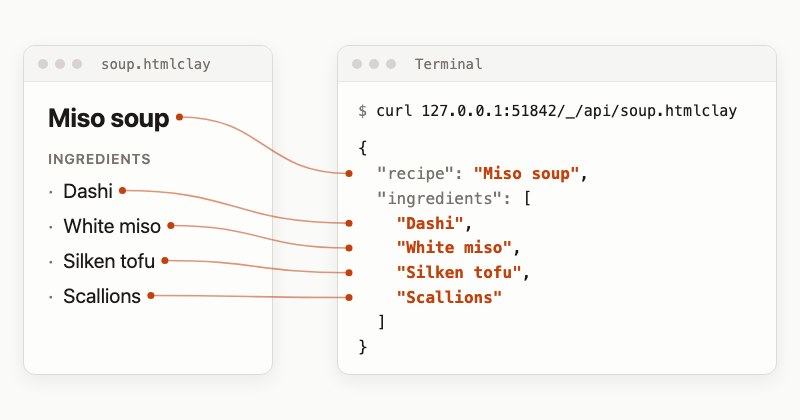
For a page with a heading and a list of ingredients, these rules select the heading and each ingredient:
{
  "recipe": "h1",
  "ingredients": "li[]"
}
The JSON API returns:
{
  "recipe": "Miso soup",
  "ingredients": ["Dashi", "White miso", "Silken tofu", "Scallions"]
}
A program or agent can also write changes back. Writes change text through the rules you define in the page and cannot insert scripts, styles or event handlers.
The JSON API guide has the complete task list to try.
03 Talk with your agent inside an HTML file
It should be easy to integrate your agent's chat with any app on your computer.

If you build an app with HTML Clay talking with an AI agent inside it is easy.
You need an HTML file that loads ClayJS with the ai-edit plugin, and Claude Code or Codex installed locally. Open the file in HTML Clay or Hyperclay Local, then:
- Select a phrase in a paragraph and press ⌘J on macOS or Ctrl+J on Windows and Linux.
- Type what you want changed, such as "Shorten this sentence", then press Send.
- The rewrite appears in place. Click Keep to save it into the file, or Revert to put the old words back.
The AI edit guide covers setup.
Your agent can also edit the file directly while you have it open. When it changes a task, the page updates without a reload. Your cursor position and unsaved content stay in place.
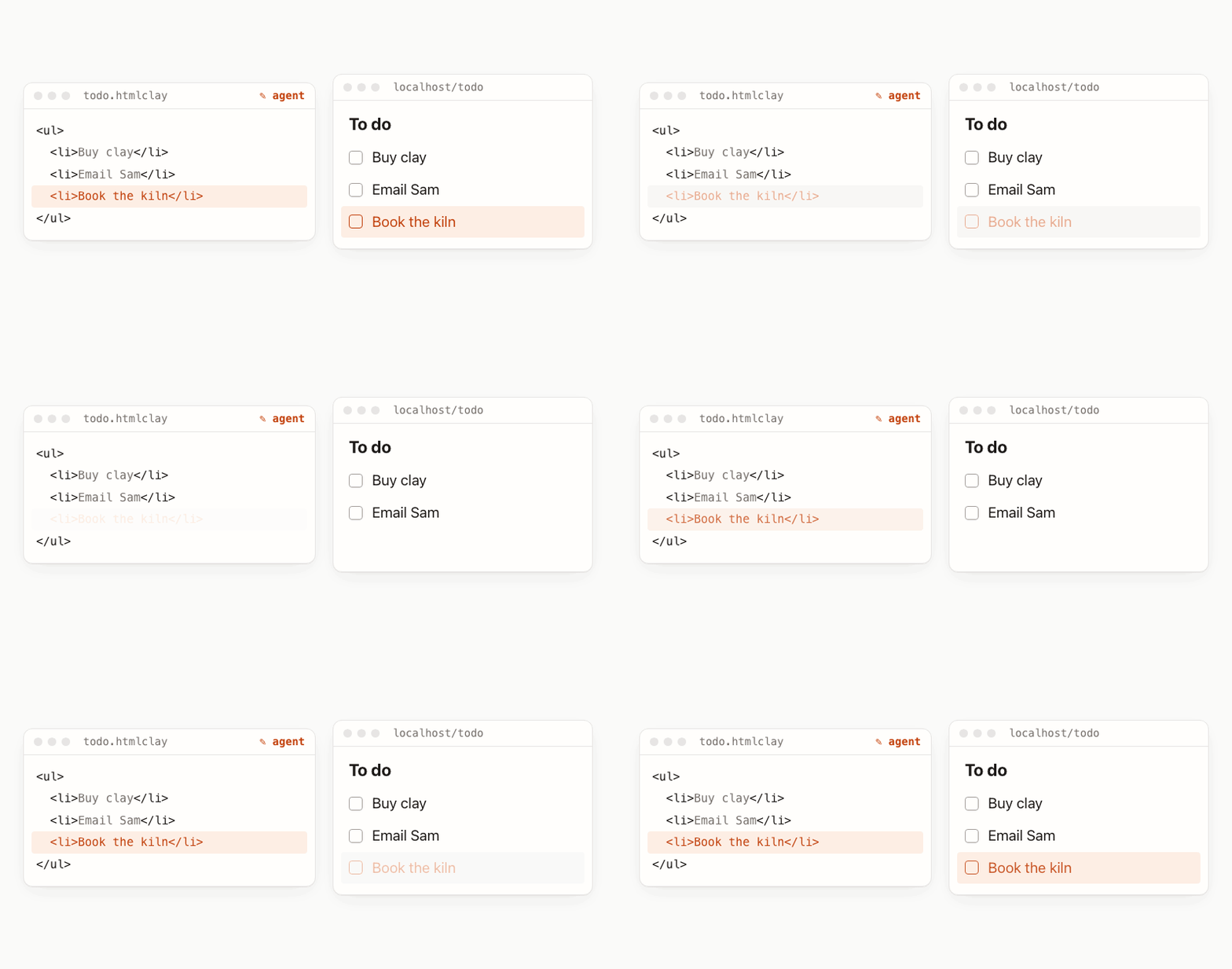
This all works because of the ClayJS sync and ai-edit plugins. Check out the live updates guide to see how live-syncing works.
It runs on your computer
HTML Clay runs on your own computer. It works on macOS, Linux, and Windows. AI editing sends the paragraph you select to your agent's model provider.
I write these programs that can be called from an HTML file myself, for tools on my own system. I'd think hard and be careful before running one written by someone else.
Download HTML Clay, open a file that loads ClayJS with ai-edit, then try AI editing by selecting a phrase and pressing ⌘J/Ctrl+J.