+----------------------------+
| Last time, we added a CMS |
| to a static page. This |
| time we'll let AI talk to |
| HTML files. |
+----------------------------+
Hi web explorers,
I've been working a lot with
AI, so I built some features
to make HTML files AI-native.
Feature 1: Connect an HTML
file to a program on
your computer
AI agents were creating about
5 files a minute in my local
projects folder, so
Spotlight's indexing was
slowing down my system and I
couldn't perform a search.
I built a search app using...
an HTML file :)
The page sends what I type
through HTML Clay to a small
program on my computer, which
searches the folder and sends
the matching files back to
the page.
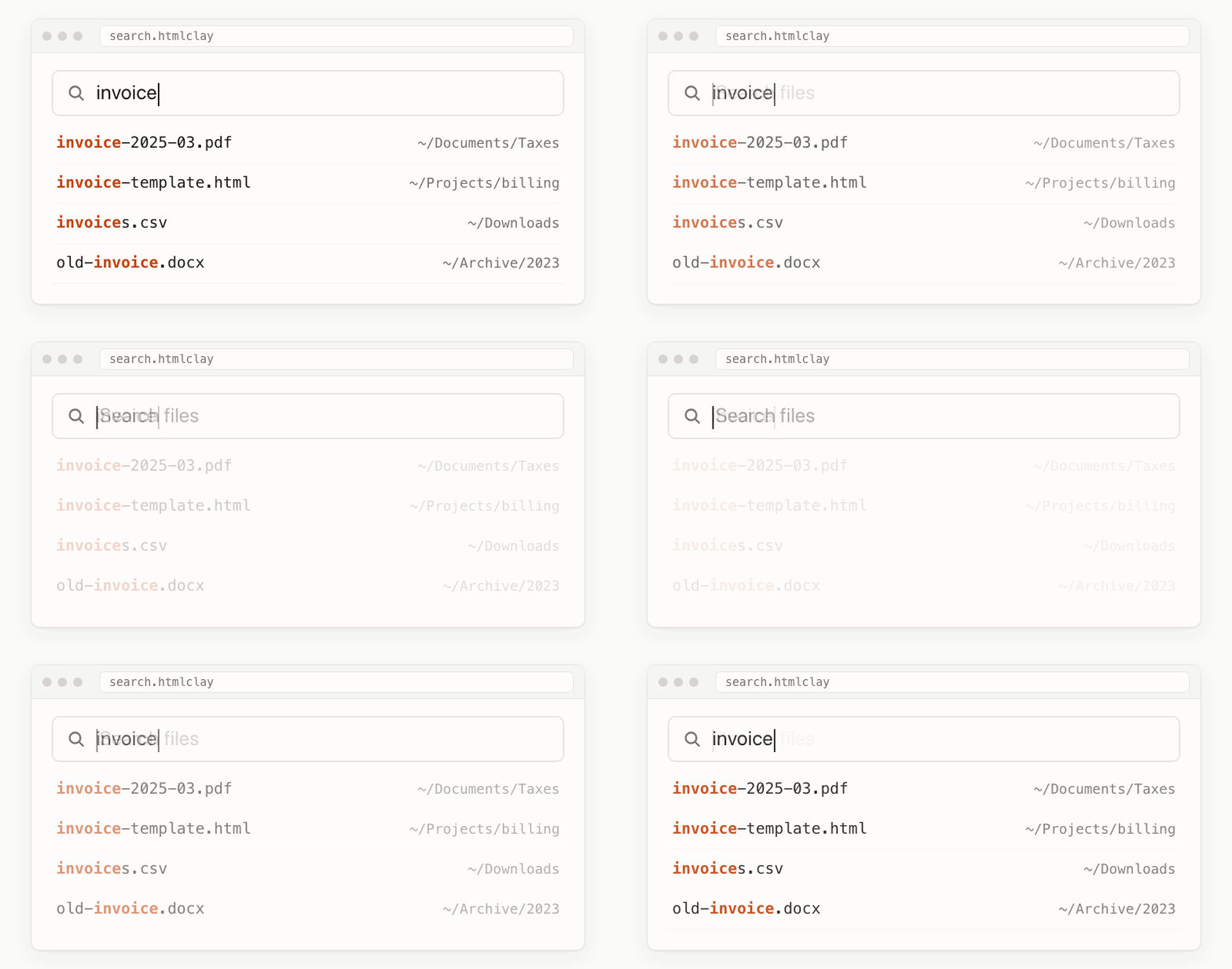
It's pretty magical to be able
to give app-like functionality
to an HTML file by attaching
it to a simple command
line program.
(Safety note: HTML Clay asks
before the page can use a
program. That program runs
with your account's
permissions and can read or
change the files your account
can access, so only allow
programs you trust.)
Feature 2: Get structured data
from HTML files
A program can read or write
data to an HTML file using a
JSON endpoint.
Your agent sends a few rules
that say which parts of the
page are data, and gets that
data back as JSON. The agent
doesn't have to read the
full HTML.
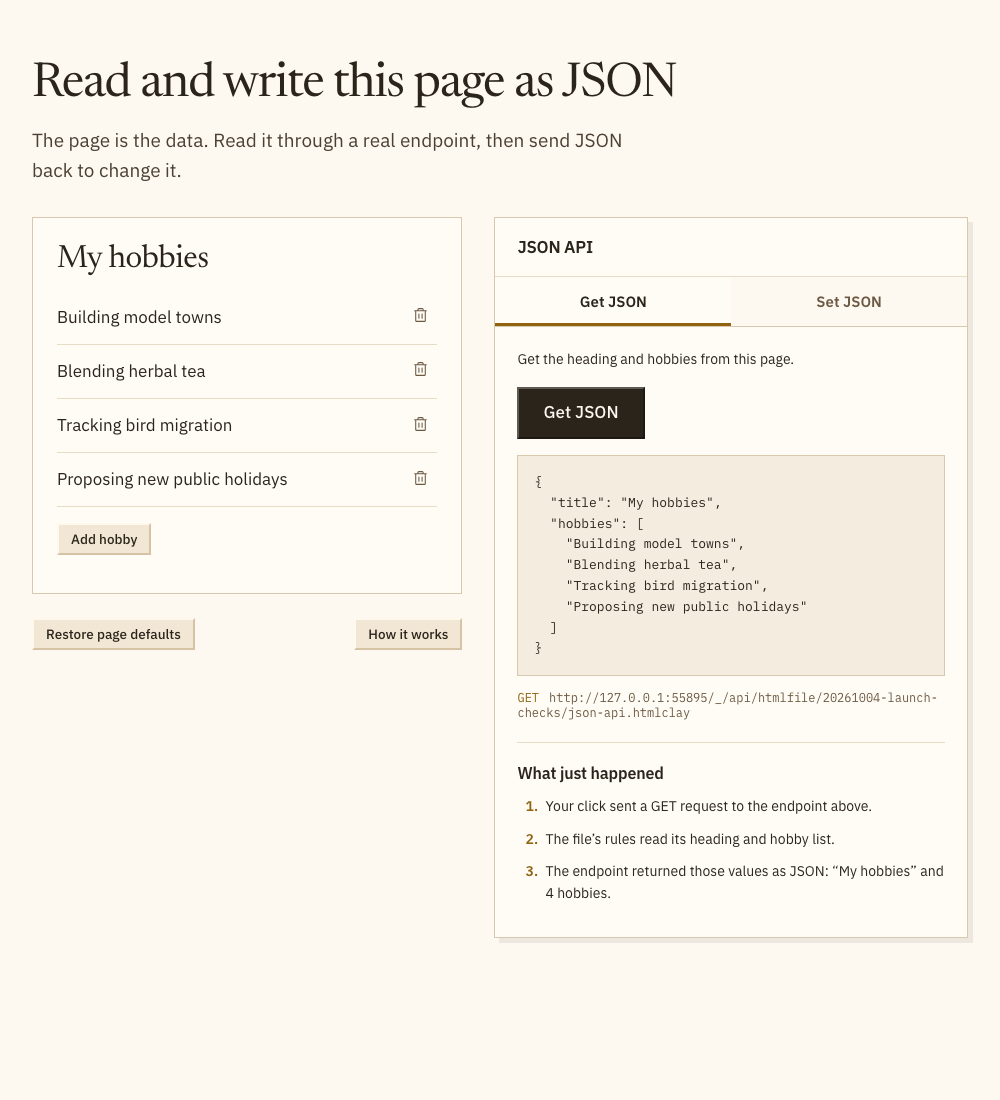
You can even send JSON to the
HTML file in a POST request to
modify the content of the
HTML file.
Try the JSON demo in HTML Clay
to see how getting and
settings JSON works.
Feature 3: Change an HTML file
while chatting with AI inside
of that file
When working in an HTML file,
I often want to point at
something and have AI change
it, without needing to explain
everything from scratch in an
AI chat app.
Now you can select a phrase in
a paragraph, press ⌘︎J (Ctrl+J
on Windows and Linux), and
type what you want changed. It
uses the same page-to-program
connection as the search app
mentioned above, so you can
build your own version of this
AI chat interface too.
You need Claude Code or Codex
installed, and a file that
loads ClayJS with the AI
editing plugin.
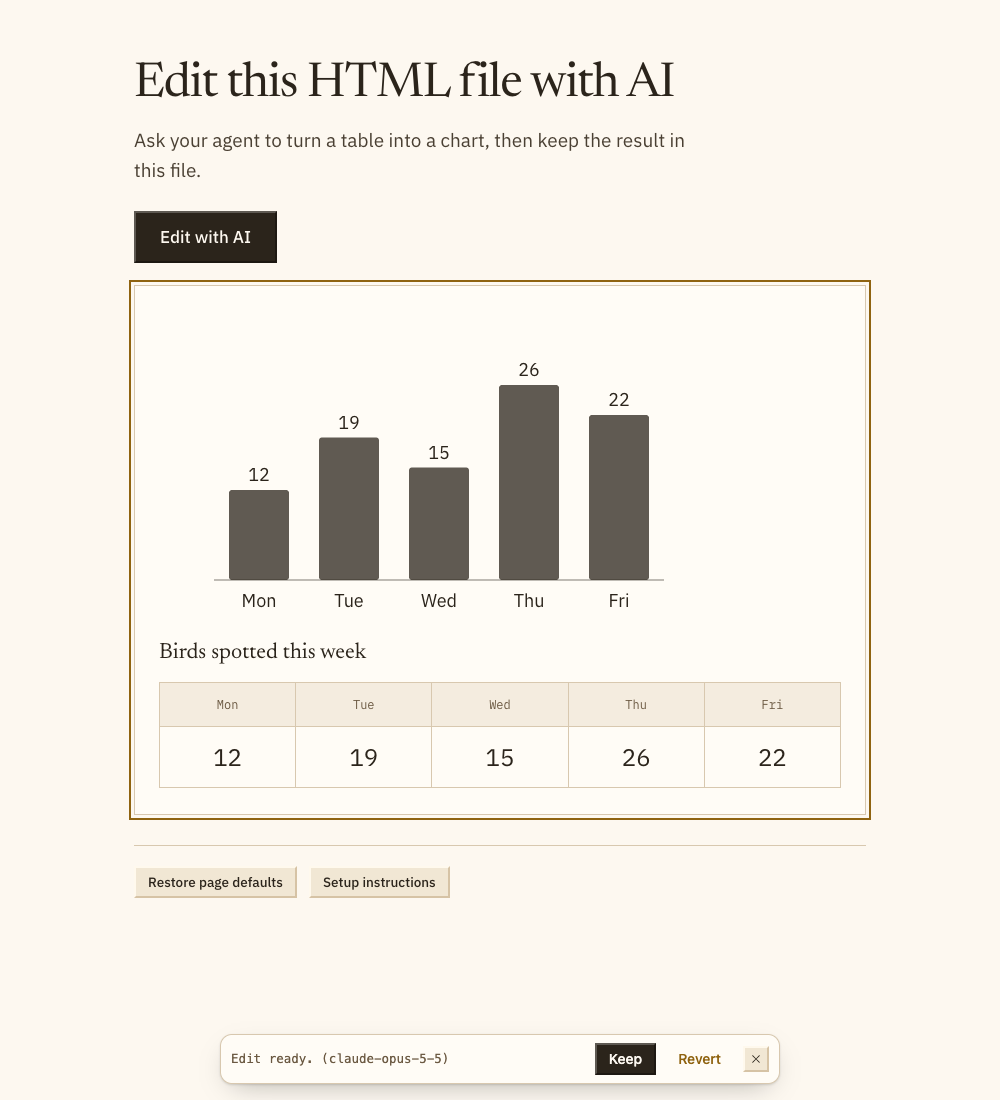
Try the AI editing demo: click
Edit with AI and send the
suggested request to put a
chart above the table.
I wrote an article showing how
to add all of these cool
abilities to HTML files:
Let's hack software and make
it easier to build
for everyone,
David
@panphora
P.S. What process on your
computer would you like to
automate with an
easy-to-design HTML file?
Reply to share.